THE CONNECTED WORKSPACE FOR CONSTRUCTION
Move the work.
Keep the context.
Construn’s construction workflow module helps project teams plan and follow work through boards, lists and timelines. Task ownership, checklists, discussion and attachments stay with the work as it moves from a decision to delivery.
Explore it with your team ↗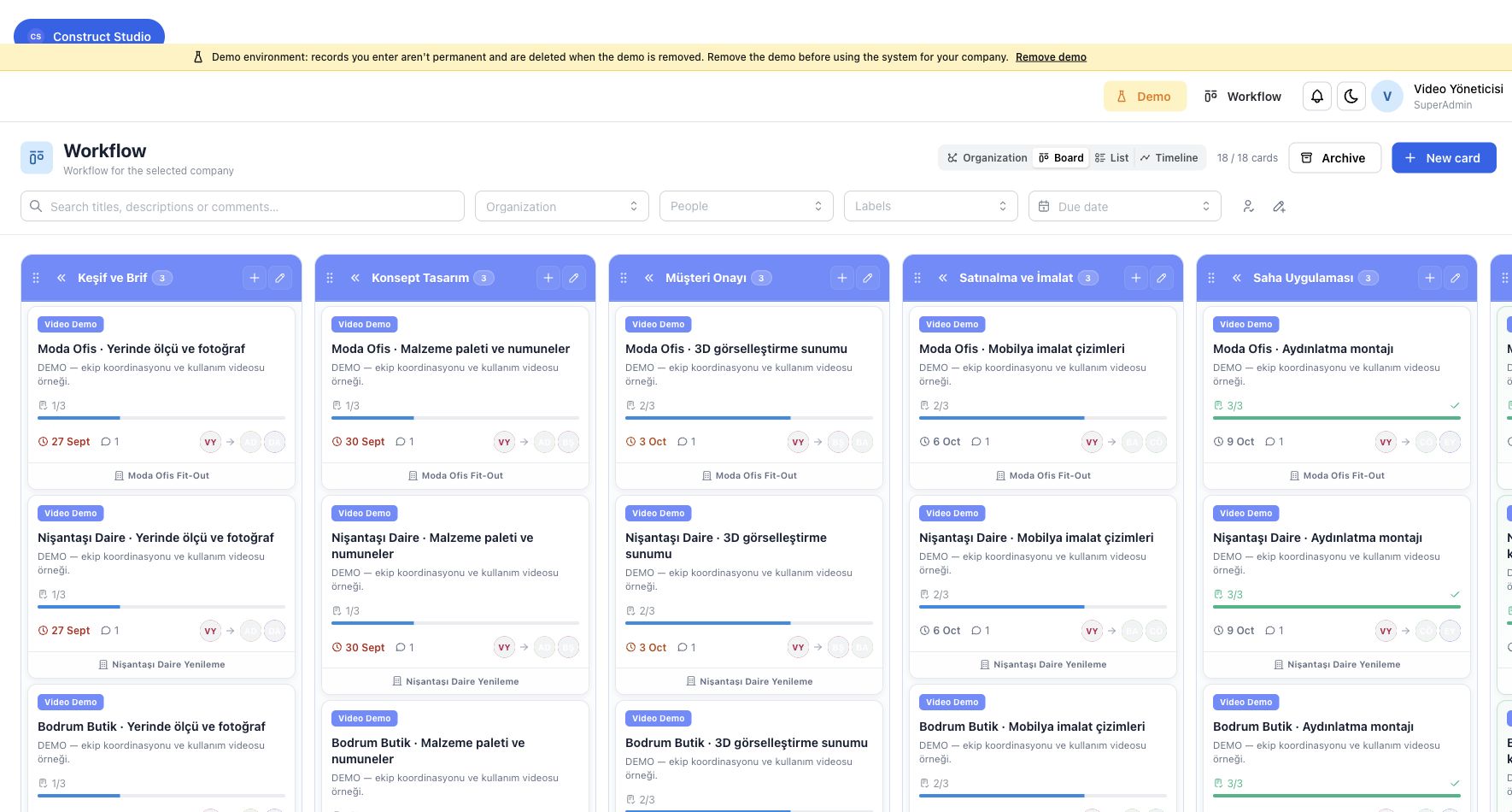
01
Make responsibility visible
Organization maps companies, departments, projects and professional groups. Workflow uses that context to help teams see which work belongs together and who is responsible for the next step. This is useful when a design studio, contractor and site team need to coordinate around the same project.
02
Plan the work in the view that fits
Use a board to follow status, a list to review task records, or a timeline to understand the work over time. Owners, checklists and attachments provide the detail behind each item. Comments stay with the task, so later reviewers can find the discussion that led to an action.
03
Bring drawings into the workflow
A drawing detail can become the starting point for a task. Pafta pins anchor workflow items to 2D drawing locations or 3D model context. The linked item connects the review to its assignees and follow-up, keeping technical coordination close to the source being discussed.
04
Connect the working day to the wider operation
Daily reports record site activity, weather, teams and completed work. Materials, procurement, warehouse stock, personnel and finance provide the wider operational context. The modules each have their own job; Construn brings them into the same project-oriented system.
05
Explore with a clean demo
New demos start with empty business data and your chosen company branding. You can load sample records when you choose to explore. Use the contact form to tell us how your team works today, and request a demonstration of task planning, drawing review or delivery coordination.
Your next project.
A better connection.
Tell us what your team needs to bring together.
Request a demonstration ↗Product information reviewed 3 October 2026. Product screens use sample records. Features and integrations depend on the installation and permissions.